

Understanding the Benefits of Using a Simulator
What is a Simulator in Golf?
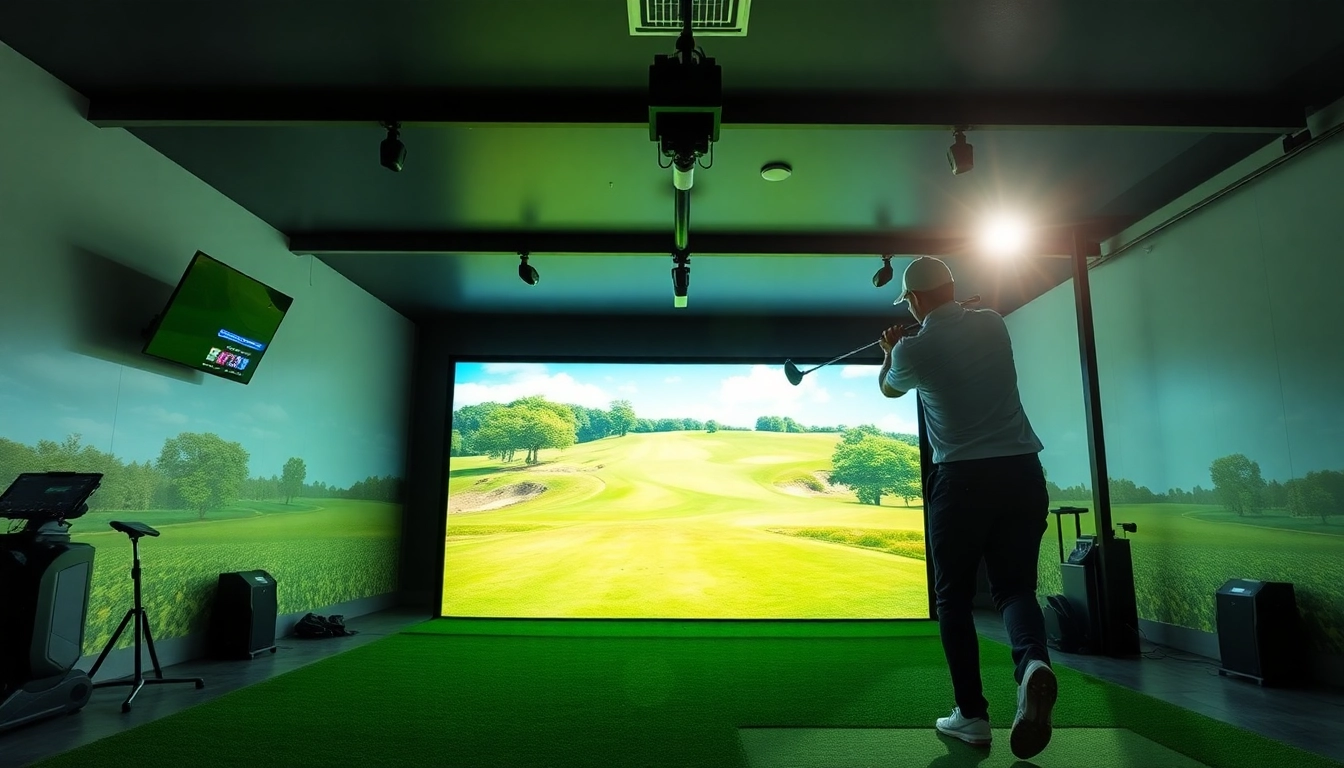
A golf simulator is an advanced technological tool that replicates the experience of playing golf in a simulated environment. It utilizes software and hardware components to capture data on players’ swings, ball trajectories, and course layouts. This technology allows golfers to play virtually on famous courses from the comfort of their homes or designated facilities. Aside from playing, simulators are extensively used for training and skill improvement, catering to both beginners and experienced golfers alike.
Advantages of Simulation Technology
Golf simulators provide numerous advantages that enhance both practice and play. Here are some key benefits:
- Year-Round Play: One of the main attractions of using a simulator is the ability to play golf throughout the year, regardless of weather conditions. This means that snowstorms or rain won’t hinder your ability to work on your game.
- Realistic Gameplay: Advanced simulators use high-definition graphics and realistic physics to recreate a lifelike golfing experience, making it crucial for understanding course challenges and developing strategies.
- Data Analytics: Simulators provide detailed statistics, including swing speed, launch angle, and ball speed. This data is invaluable for players looking to identify strengths and weaknesses in their swings.
- Convenience: Having a simulator at home eliminates the need for travel to a golf course, thus providing convenience, especially for those with busy schedules.
- Variety of Courses: Many simulators allow players to access a wide array of golf courses worldwide, enabling variety in their practice sessions.
How Simulators Enhance Training
Simulators transform the traditional training regimen by providing interactive and immersive experiences. By using a simulator, golfers can analyze their performance in real-time and adjust their techniques accordingly. Features like swing analysis help players perfect their form while receiving instant feedback on metrics such as power and accuracy. Furthermore, skilled players can engage in competitive scenarios through varied in-game challenges that promote continuous improvement.
Choosing the Right Simulator for Your Needs
Key Features to Look For
When considering the purchase of a golf simulator, it’s crucial to evaluate the features that will best serve your training and recreational needs:
- Accuracy: Look for simulators that utilize advanced sensors and camera technology to ensure accuracy in trajectory and distance measurements.
- Software Capabilities: The sophistication of the software is paramount. Check for features like weather simulation, course selection, and training programs.
- Space Requirements: Assess the dimensions of both the simulator and the area you plan to install it. Some simulators require ample space for swing clearance.
- Ease of Setup: Consider units that are easy to set up and disassemble, particularly if you won’t have a permanent setup.
- Compatibility: Ensure that the simulator is compatible with your devices and any additional training aids you may wish to use.
Simulator Brands Overview
The market for golf simulators is competitive and features a variety of brands. While I will not mention specific companies, it’s important to research brands known for their quality, customer service, and technological innovations. Reading user reviews and user feedback can also assist in making an informed choice about which simulator software and hardware could best suit your needs.
Budget Considerations
Budget is often a significant sticking point for users considering the purchase of a golf simulator. Prices can range significantly depending on features, accuracy, and brand reputation. A basic simulator might start in a lower price range, while high-end models can be quite an investment. It’s crucial to determine not only what you’re willing to spend but also how the chosen simulator will fit into your training regimen. Ensure you consider not only the initial purchase price but also potential additional costs for software updates and maintenance.
Setting Up Your Home Simulator
Required Equipment and Space
Before setting up a home simulator, it’s essential to gather the necessary equipment:
- Screen or Impact Screen: A high-quality screen that can withstand golf ball impacts is vital for projection accuracy.
- Projector: A good projector with high brightness and resolution will provide an immersive experience.
- Sensors/Cameras: Depending on your simulator, you’ll need the appropriate sensors or cameras for capturing swing data.
- Software: The simulator software is crucial for accessing courses and training modules.
- Computer/Console: Ensure compatibility with your simulator’s software for performance analytics and data tracking.
As for space requirements, aim for a dedicated area that provides sufficient room for your swing. Ideally, a minimum height of 9-10 feet is recommended, along with an area of at least 10 feet by 15 feet.
Configuration Tips for Optimal Performance
To achieve optimal performance from your simulator setup, consider the following configuration tips:
- Calibration: Regularly calibrate your simulator for accurate readings. Follow manufacturer guidelines closely for best results.
- Lighting: Control lighting in the simulator area to reduce glare and ensure the projector displays clearly.
- Sound Systems: Consider investing in quality speakers for an immersive audio experience that mimics the sounds of a real golf course.
- Smart Integrations: Utilize smart technology to connect your simulator with other devices, aiding in data analytics and performance tracking.
Maintenance and Troubleshooting
Regular maintenance is essential to prolonging the lifespan of your golf simulator. Here are some basic maintenance tips:
- Cleaning: Keep screens and lenses clean for clear visuals; use proper cleaning solutions to avoid damage.
- Software Updates: Regularly check for software updates that may improve performance or fix bugs.
- Sensor Care: Occasionally inspect sensors to ensure they are functioning correctly and replace batteries as needed.
If issues arise, referring to the user manual or reaching out to customer support can offer solutions for common troubleshooting scenarios, such as connectivity issues or inaccurate readings.
Advanced Training Techniques with Simulators
Utilizing Swing Analysis
One of the most significant advantages of using a simulator is the ability to analyze your swing in detail. Most simulators include swing analysis features that track numerous metrics, such as:
- Club speed
- Swing path
- Face angle at impact
- Ball speed and trajectory
Using this information, you can identify swing flaws and work on specific areas to enhance your overall performance.
Customizing Your Training Programs
Every player is unique, and a one-size-fits-all training approach is not effective. Golf simulators allow users to customize their practice sessions based on personal performance goals. Whether it’s improving putting accuracy or driving distances, you can create tailored programs that focus on different aspects of your game, ensuring balanced skill development.
Incorporating Virtual Competitions
Simulators also make it possible to compete virtually against other players, allowing for a social aspect to practice. Many platforms offer tournaments and rounds against friends or online opponents, encouraging a competitive environment that can enhance motivation and performance.
Frequently Asked Questions about Simulators
What types of simulators are available?
Simulators come in various types, including full-motion simulators, visual simulators, and portable models. Options range from high-end setups to simpler devices for casual users.
How accurate are golf simulators?
Accuracy varies by model. High-quality simulators can replicate ball trajectories and distances with impressive realism but always check user feedback for specific models.
Can I play real golf courses on a simulator?
Yes, many simulators provide access to a library of real-world courses, allowing players to experience famous golf locations virtually.
What is the best simulator for beginners?
For beginners, a user-friendly simulator with basic features suffices. Look for models that offer ample support and tutorials for learning.
How often should I practice with a simulator?
Practicing several times a week can be beneficial. Aim for consistency to improve skills gradually rather than infrequent, longer sessions.
Contact Information
Call Us: +1 615-624-7821
Email: [email protected]
Address: 1276 Northwest Broad Street, Murfreesboro, TN, USA